


How do I start the challenge programme?

To begin the Challenge Programme at WeMasterTrade, you simply need to create an account, choose a challenge package, and complete the purchase process. After that, you will receive your trading account details and can start the evaluation phase.
Follow the steps below:
Step 1: Create or log in to your account
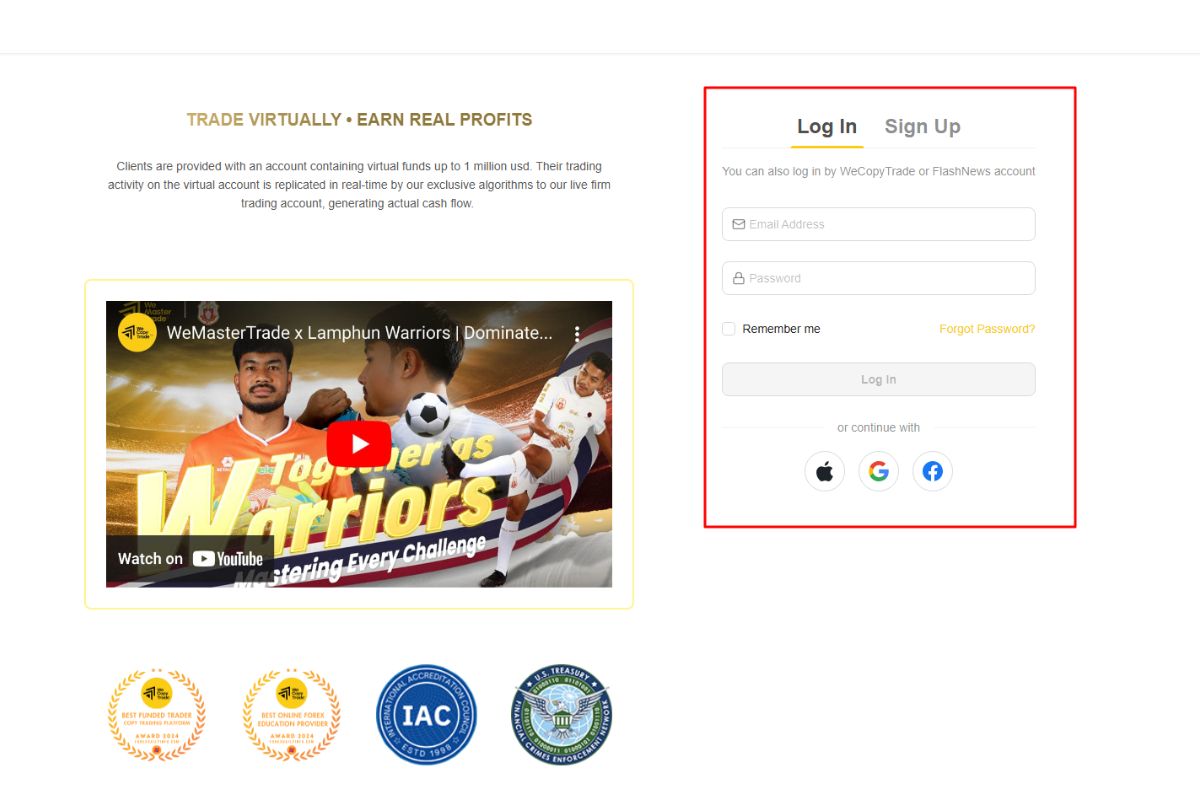
Step 2: Choose your Challenge package
After logging in, you can select your Challenge package in two different ways:
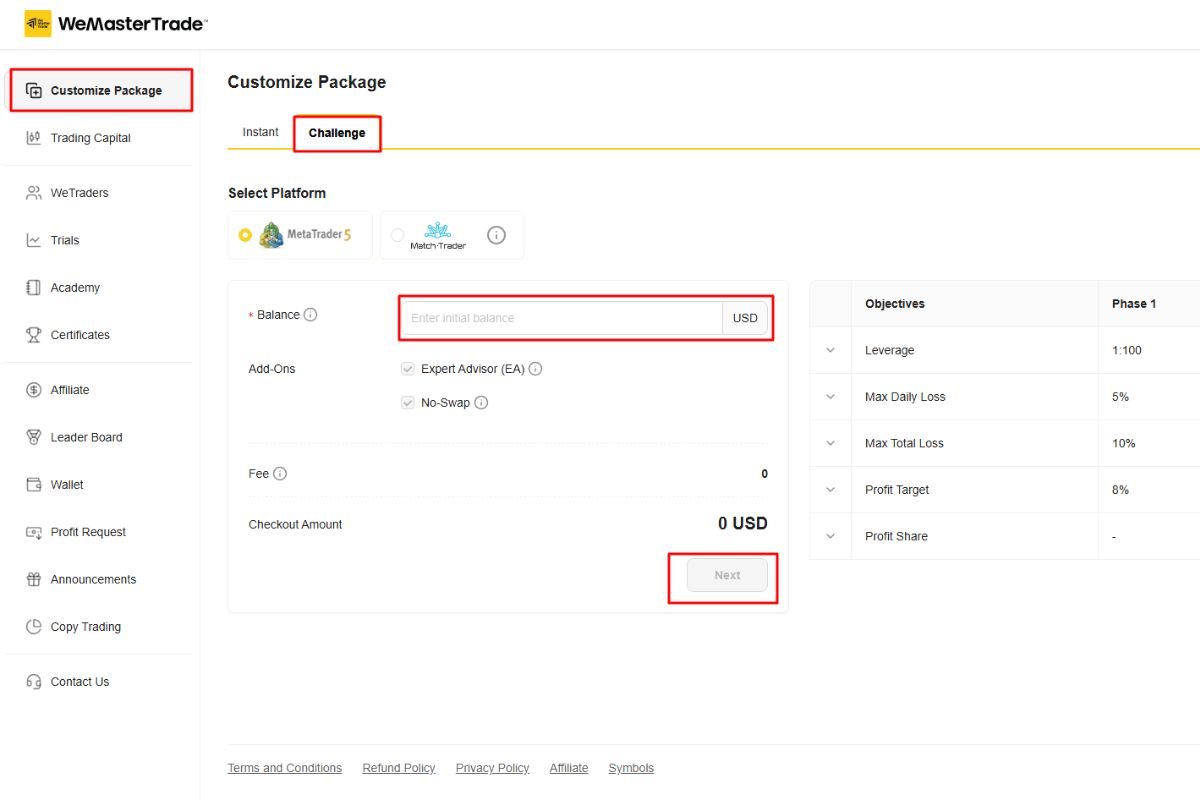
Option 1: Customize your Challenge balance
- Go to Customize Package.
- Select Challenge as the programme type.
- Enter the account balance you want (for example: $10,000 – $100,000).
- Click Next to continue.
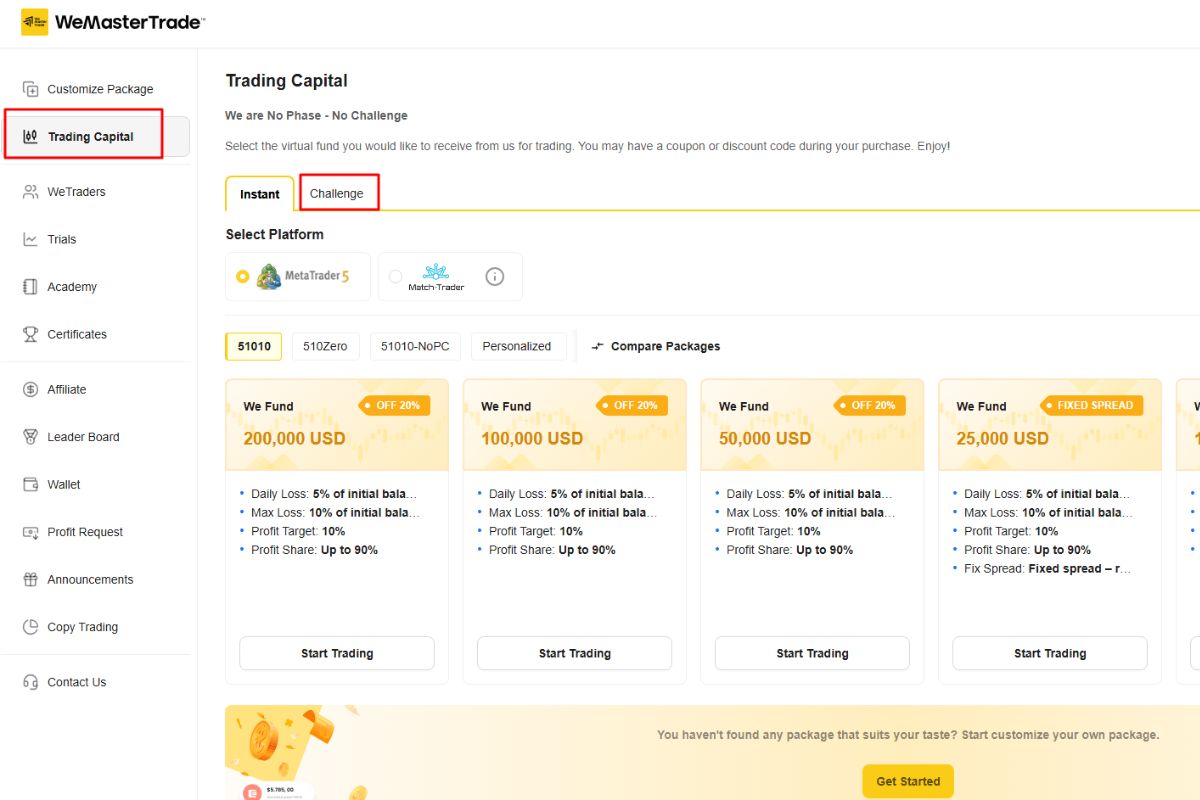
Option 2: Select from available Challenge packages
- Go to Trading Capital.
- Select the Challenge tab.
- Choose one of the available account sizes displayed on the page.
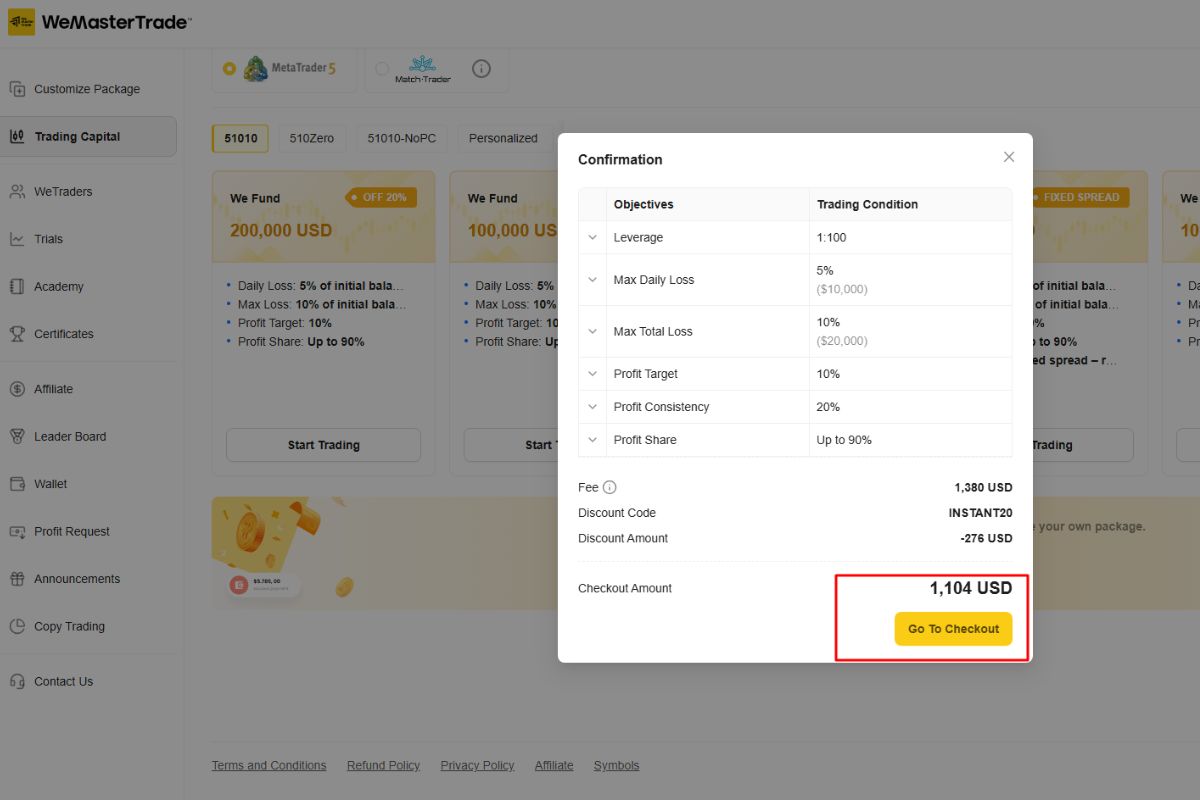
Step 3: Complete the purchase
After selecting your preferred package:
- Review the account details and trading conditions.
- Click Go to Checkout.
- Complete the payment process to activate your Challenge account.
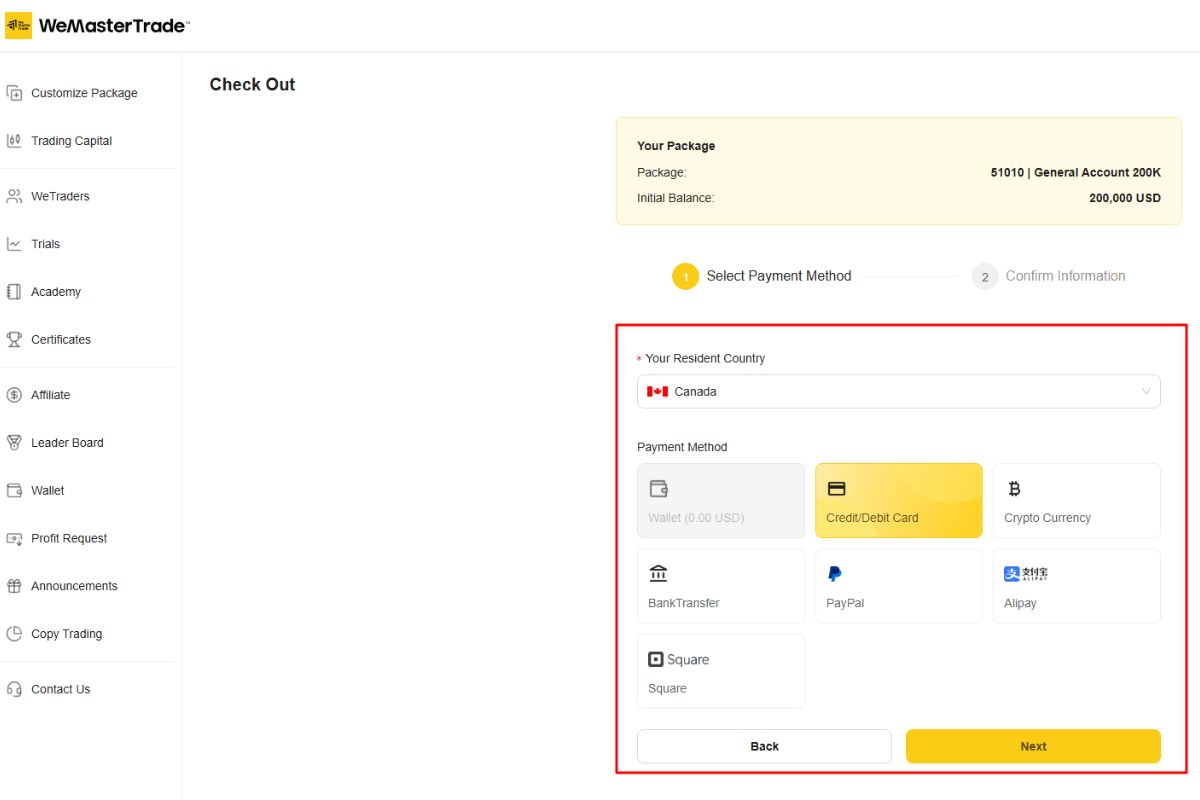
Step 4: Select your payment method
After clicking Go to Checkout, you will be redirected to the payment page.
- Select your country from the “Your Residence Country” dropdown menu.
- Choose a payment method that is available in your region.
- Click Next to proceed to the payment confirmation step.
Tip: Before starting the Challenge, make sure you review the official trading rules to understand the evaluation requirements and risk limits.